AppColl Logo
    • Register
    • Login
    • Search
    • Recent
    • Tags
    • Popular
    • Groups
    1. Home
    2. MelissaT6414
    3. Posts
    M
    • Profile
    • Following 0
    • Followers 0
    • Topics 2
    • Posts 3
    • Best 0
    • Controversial 0
    • Groups 0

    Posts made by MelissaT6414

    • Format of application numbers

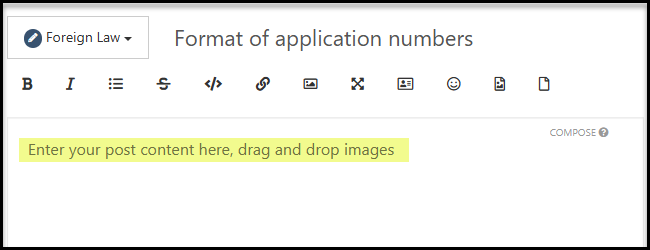
      During the Foreign Patent Law webinar, I believe it was mentioned that the correct format of the application number, for a specific jurisdiction, is required so that AppColl can retrieve a successful 'fetch'. Does AppColl have a cheat sheet displaying the proper format? And is it possible to request that the format of the number be displayed in the blank application number field to guide the user? Similar to when I started this post. AppColl gave the tip, 'Enter your post content here, drag and drop images' (screenshot included).

      For example, an EP patent record's empty application number field would display nnnnnnnn.n, in faint grey font, and a BR patent record's empty application number field would display BRnnYYYYnnnnnn-n, and so on for other jurisdictions.
      46320312-9a86-49f8-ab82-eea54cbbca9b-image.png

      posted in Foreign Law
      M
      MelissaT6414
    • RE: Bulk Import of Task Types

      @ChristianS2558 I think if the intent is to import brand new task types that don't yet exist, I don't believe they would have an ID number. I might be missing the boat, though.

      posted in Foreign Law
      M
      MelissaT6414
    • Form field ({Matter.Attorney.Email}) pulling in Email Cc: field as well

      For new patent application requests in foreign jurisdictions, we provide our foreign counsel with the working group of the matter. For example, the working group may include one or two attorneys, a paralegal, a docketing group, and the AppColl email intake address.

      For example, the AppColl email template, in-part, may look something like this:

      Please send all correspondence to:
           {Matter.Attorney} ({Matter.Attorney.Email});
           {Matter.Paralegal} ({Matter.Paralegal.Email});
           our docketing department (Docketing@domain); and
           the email intake address for this matter: ({Matter.AttorneyRefEmailIntakeAddress}).

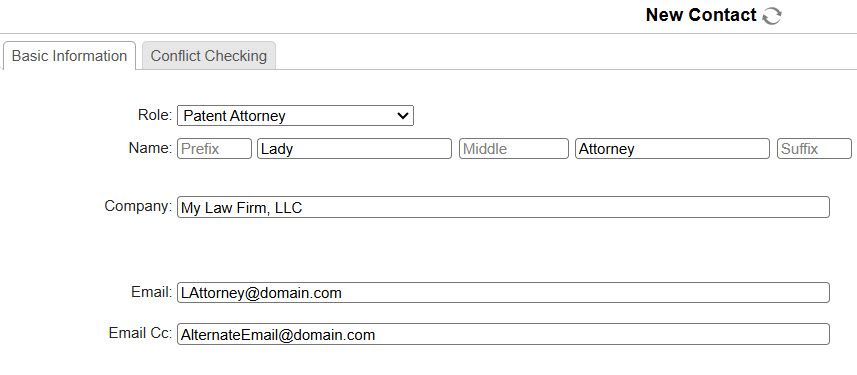
      In the instance where an AppColl contact record contains data in both the Email field as well as the Email Cc field, the Form field is picking up both email addresses and presents something like this:

      Lady Attorney (LAttorney@domain.com,ThisISaTEST@domain.com). A screenshot of a test contact record is included.

      Test Contact.jpg

      Is it possible to have the Form field updated to only include the Email field and not the Email cc field?

      posted in Product Requests
      M
      MelissaT6414
    • 1 / 1