AppColl Logo
    • Register
    • Login
    • Search
    • Recent
    • Tags
    • Popular
    • Groups

    Form Fields

    AI Features
    2
    4
    9
    Loading More Posts
    • Oldest to Newest
    • Newest to Oldest
    • Most Votes
    Reply
    • Reply as topic
    Log in to reply
    This topic has been deleted. Only users with topic management privileges can see it.
    • KimG5166
      KimG5166 last edited by

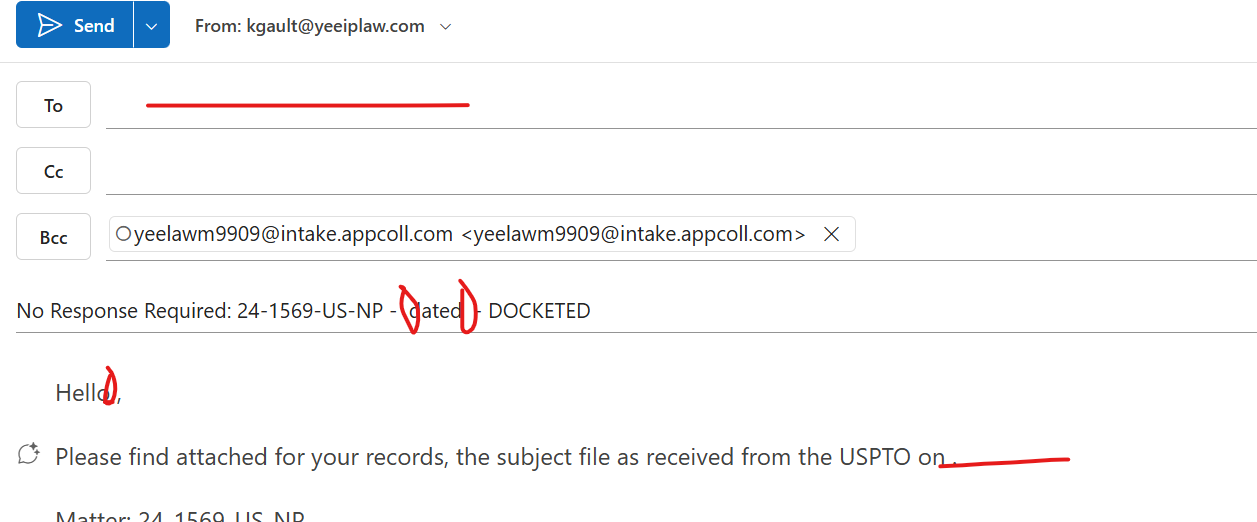
      We have a custom field connected to contact records so we can email client paralegals via form letters. Since enabling AI, it seems like that connection is lost. It no longer populates the email address or name associated with the record. It also doesn't populate task information. Can this be fixed or do we need to disable AI?
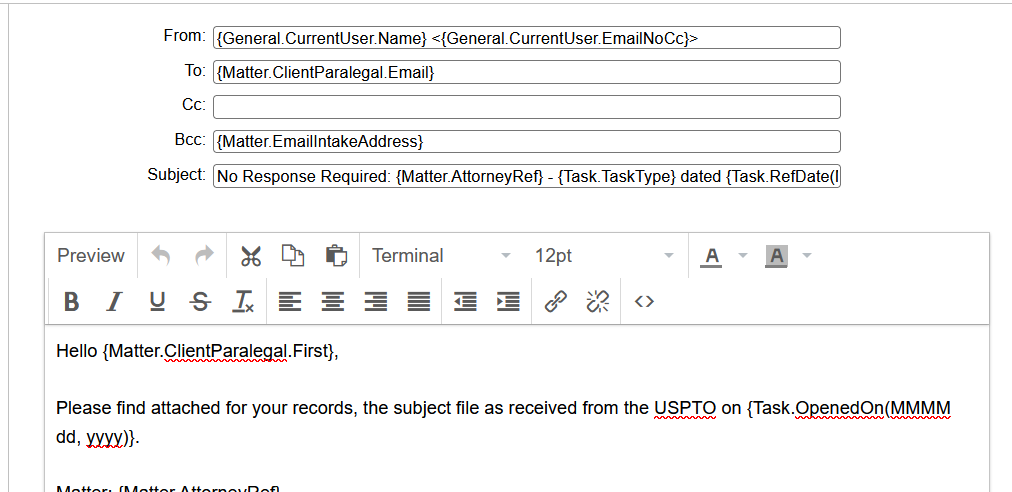
      Screenshot 2026-11-20 094745.png
      Screenshot 2026-11-20 094952.png

      1 Reply Last reply Reply Quote 0
      • gregg_appcoll
        gregg_appcoll last edited by

        Hi Kim. We're glad it fixed itself. This should not be happening. Please submit a ticket to our support group if it does, and we can dig deeper. We hope this helps.

        1 Reply Last reply Reply Quote 0
        • KimG5166
          KimG5166 last edited by

          It appears the disabling and re-enabling AI allowed it to fix itself. Everything seems to be populating again.

          1 Reply Last reply Reply Quote 0
          • KimG5166
            KimG5166 last edited by

            It appears that disabling AI entirely allows the task info to populate, but the connection to the Client Paralegal field email and name form fields is still lost.


            1 Reply Last reply Reply Quote 0
            • 1 / 1
            • First post
              Last post

            8
            Online

            722
            Users

            426
            Topics

            1.2k
            Posts