Please fix column formatting
-
Columns in the UI are formatted such that there is a maximum quantity of characters in a column and, regardless of window size or column width, no additional characters are displayed. The following shows the same columns, with different window sizes:
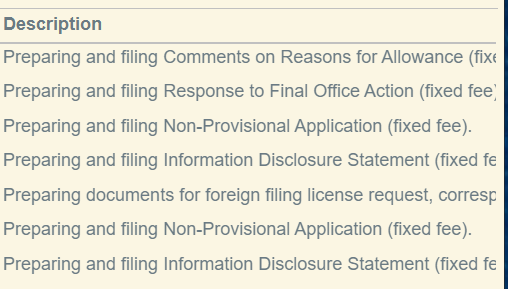
^ Here, no ellipses are shown even though the column is cut off by the window.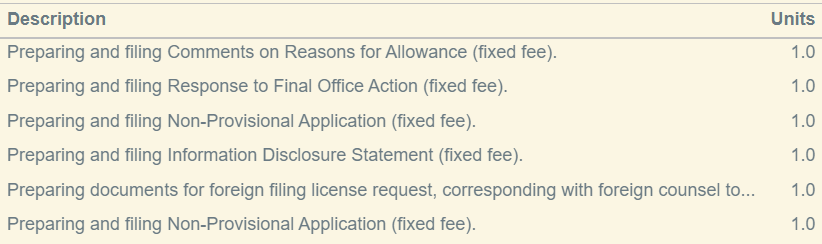
^ Here, the column width happens to line up correctly with the ellipses, and it looks as it should.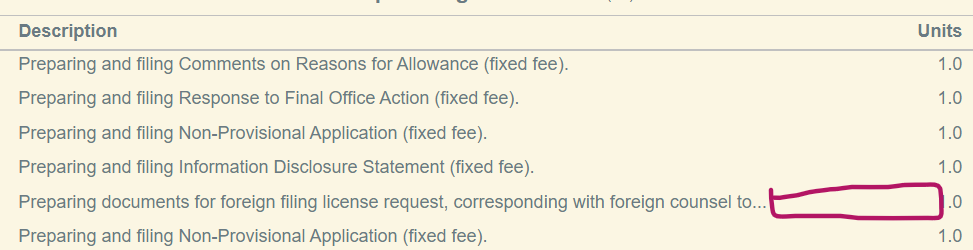
^ Here, the window size is larger and the column is therefore wider. However, the ellipses don't change, and column now simply has blank whitespace where there could be letters.
^ There is no good reason for this to happen - dynamic columns are a problem that has been completely solved for many years in web page design. -
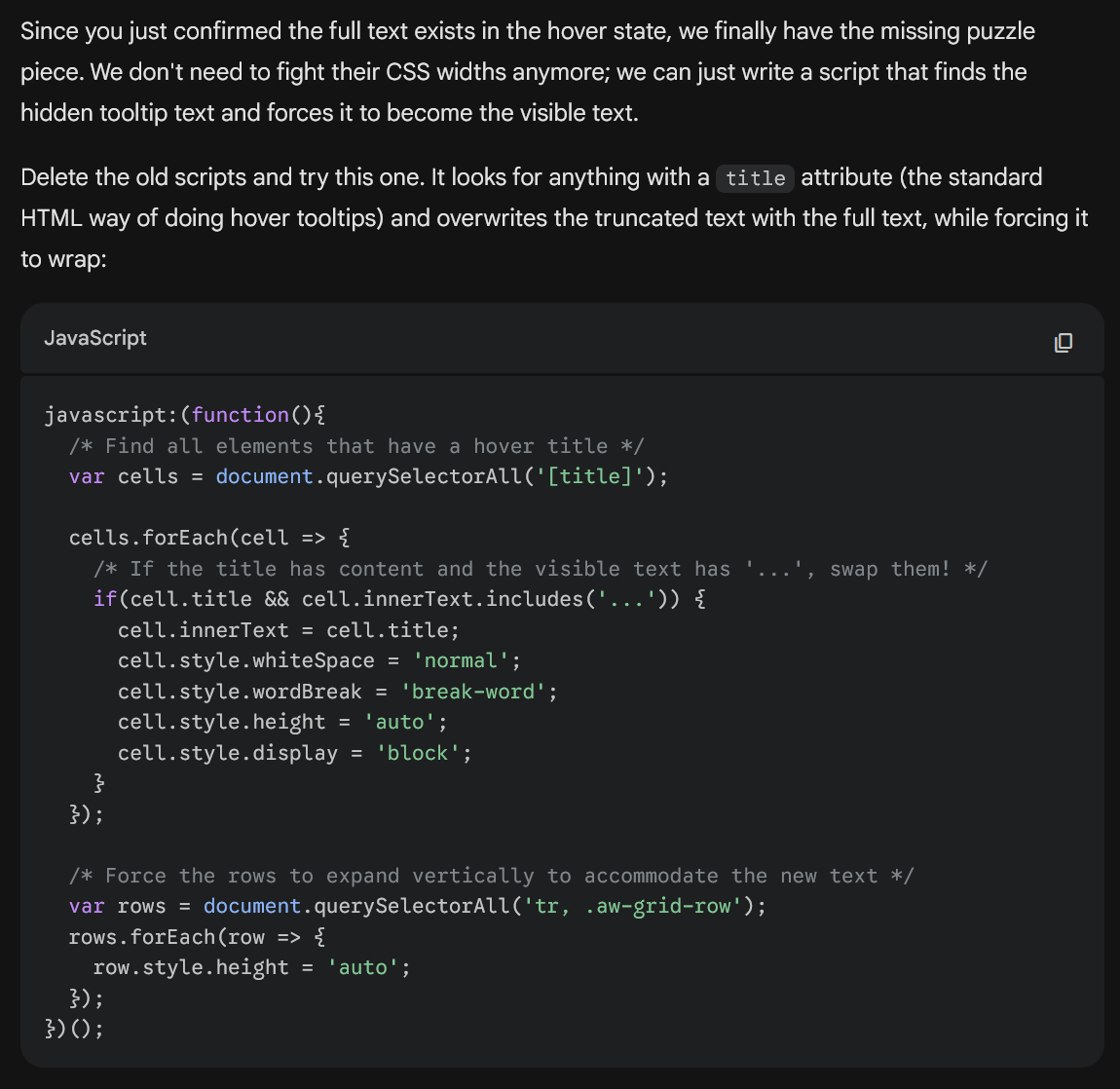
@support_appcoll Any update on this? We look at these tables every day. For what it's worth, Gemini gave me a workaround where I can create a bookmark that I can click when I view Appcoll to change the page display so that it doesn't statically truncate text, but it has to be clicked each and every time the page is loaded
javascript:(function(){
/* Find all elements that have a hover title */
var cells = document.querySelectorAll('[title]');cells.forEach(cell => {
/* If the title has content and the visible text has '...', swap them! */
if(cell.title && cell.innerText.includes('...')) {
cell.innerText = cell.title;
cell.style.whiteSpace = 'normal';
cell.style.wordBreak = 'break-word';
cell.style.height = 'auto';
cell.style.display = 'block';
}
});/* Force the rows to expand vertically to accommodate the new text */
var rows = document.querySelectorAll('tr, .aw-grid-row');
rows.forEach(row => {
row.style.height = 'auto';
});
})(); -
Hi Sadiq. We're actually working on it. It's a significant job to redo the entire table/column formating UI. We have the Contacts tab in Beta and it works quite nice. We're going tab by tab as we have time. Unfortunately, we do not have an ETA as of yet. I hope this helps.
-
Bumping this suggestion. Fixing this seems like low-hanging fruit and will help with the overall archaic look and feel of the UI.