@BrandonK5549 Sorry for the delay in responding. Can you elaborate on your concern? We wouldn't have turned anything off.

@BrandonK5549 Sorry for the delay in responding. Can you elaborate on your concern? We wouldn't have turned anything off.
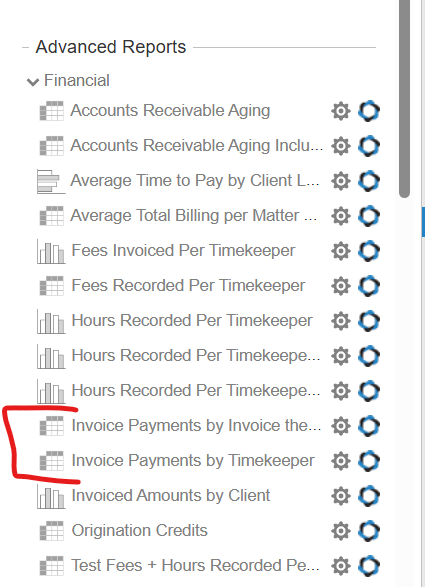
@AccountingA3700 Hi Leslie - this report was just published today a few days ago. See below. Apologies for the confusion. We will also update the link in the article.
@SamuelV4648 Thank you so much for the suggestion. This is a good idea. We have passed this on to our engineering team for future consideration. Please keep the ideas coming!!!
Hi Colin. Would you be available to have a call with me, Gregg Hart to further discuss?
Please reach out to support@appcoll.com and ask for me. Thanks.
Thanks for the suggestion, Christian. We have passed this on to engineering for consideration.
Thanks for the feedback. We'll past it onto engineering.
Not a bad idea, Christian. We will add this to our list. Thanks for the suggestion.
Hi Sarah - we've been talking about it. But we do have security concerns over your sensitive data. We will let you know if we build something. AppColl internal AI will have access to your data and allow use of AI. You will learn more through our Beta. We hope this helps.
Excellent. I see you reached out to the support group to get started!!!
Hi Noah. Yes, there is a way to do this. Please look at the first few paragraphs of this article. Feel free to create a support ticket or respond here if you need more clarification. We hope this helps.
Thanks for the feedback. We're working on an AI Chat window for every page that will allow you do to this. If you're interested, please contact AppColl Support directly to participate in the AI Beta program.
Hi Christian - I just upped the priority of this. Apologies for the delays.
Gregg
Hi Theresa. There sure is. We send reports via email to any email program. If you use Outlook, the reports will open right up in the body of the email if you use option 11 as shown in the first article below. This article teaches you how to schedule reports to email you as needed. The 2nd article shows you how to create the docketing reports first. If you have further questions, feel free to reach back out here or email support@appcoll.com.
https://support.appcoll.com/reports/schedule-reports-to-run-automatically-w-video
https://support.appcoll.com/reports/generate-a-306090-day-docket-report
Hi John - we're looking into adding something to make this work. We will make an announcement when this has been implemented.
Hi, Priority information can be imported via a separate spreadsheet. Inventor contact information would be imported via a contacts spreadsheet. For help doing this, please contact AppColl support.
Thanks. We'll take a look at that form - sb0439
Hi Penny,
Thanks for the feedback. Have you tried filtering tasks by DeadlineType? That way you can include just important external deadlines.
Great feedback, Krista, thanks! We'll add these to the engineering list.
Hello. We populate any field where the data is clear-cut. If it's ambiguous, we leave it blank. What specifically were you hoping to always populate?
Hi Sadiq,
Thanks for the feedback. We will pass this along.
Hello. You are correct that security is preventing us from creating an API. Allowing for automated matter creation would still require full API access. You would still have to manually create in AppColl or import via spreadsheet. Just so we understand, where are you adding matters that would be useful for API access? Thanks.
Hi Ann,
Try using {Invoice.PaymentLink} in your email. Note this will only work for emails sent from the Invoices page.
Thanks.
Hi Pamela,
The way to do this current is to filter the activity log from the reports module. Search for changed and respondby in the description field.
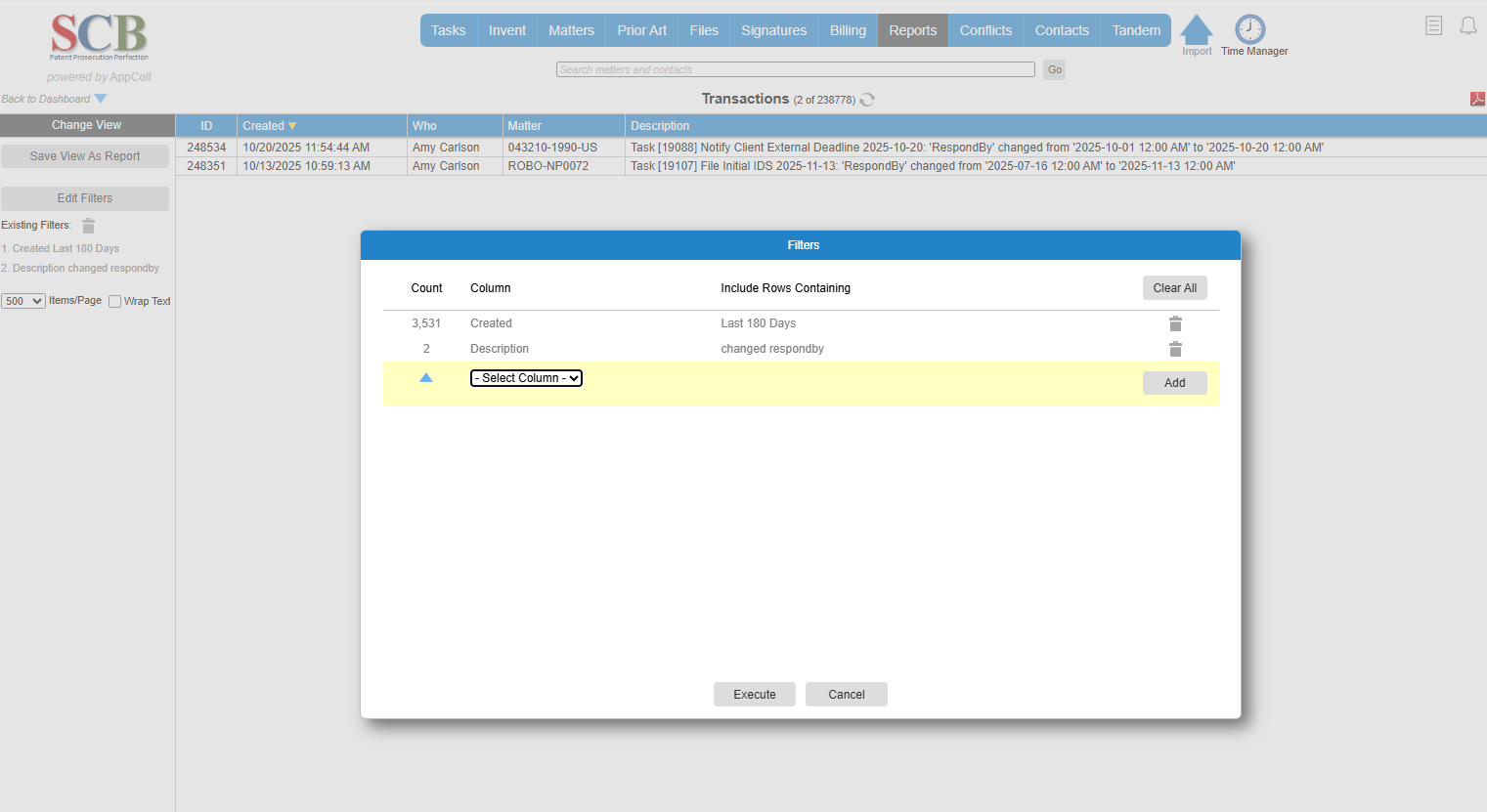
Hi Jadal,
As the built-in task reminder reports cannot be changed, we recommend creating a custom scheduled report for task reminders. That way, you can add any information you need. Please contact AppColl Support if you need more details.
@JohnG8374 Thanks for the feedback. Something we will definitely add in the near future.
@KristaJ3145, we are working to make billing access available as a context prompt. We will alert the beta team when this has been added.
Hi Krista. Make sure you click Apply Changes after you add a new form field. Let us know if this works. Thanks.
Hi Christian - we have passed this on to enginering for future consideration. We hope this helps.